
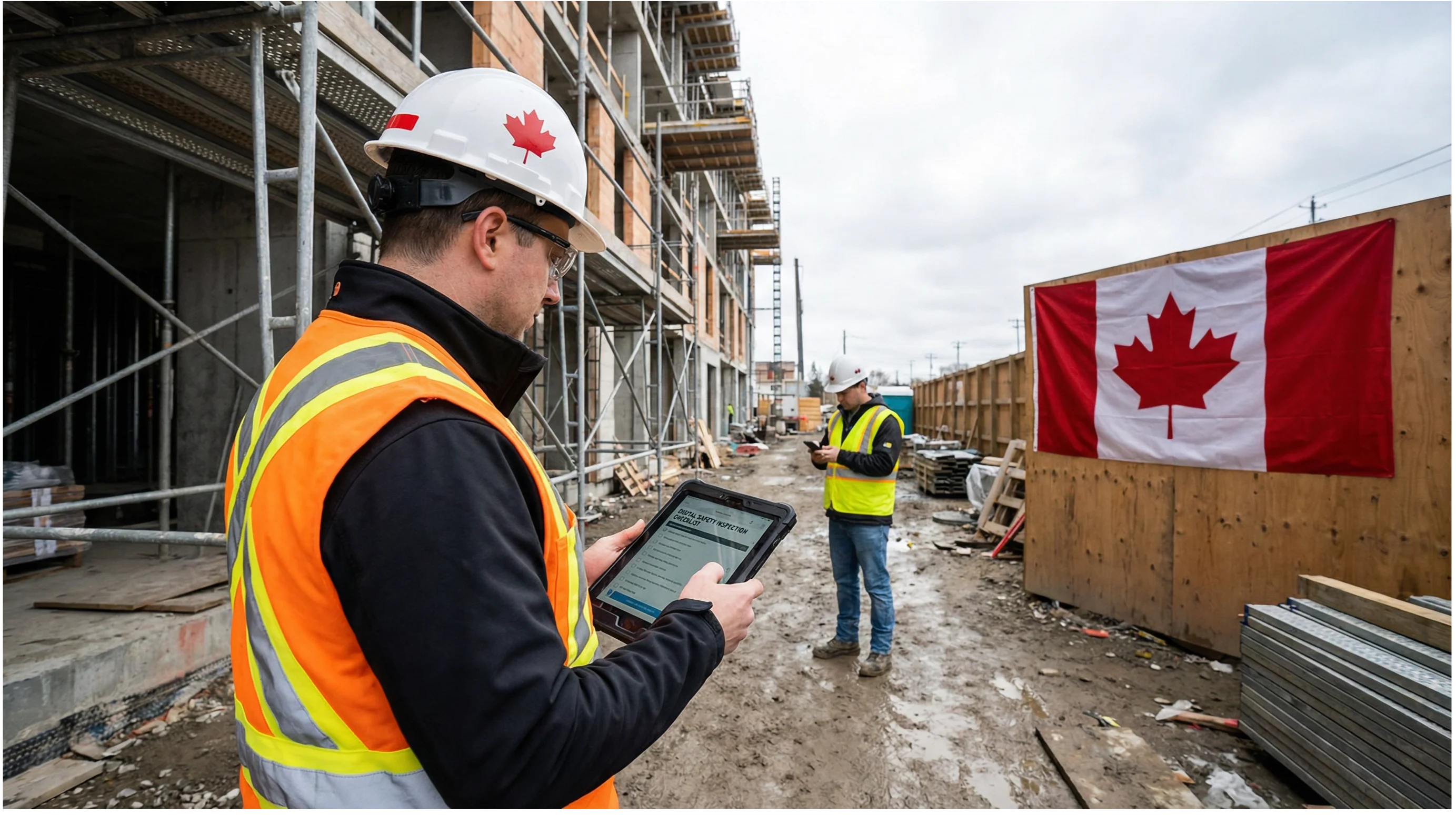
Construction safety inspections are only as good as the records they produce. A thorough walkthrough that ends with a handwritten form stuffed into a binder does almost nothing for your COR audit, your corrective action follow-through, or your ability to spot patterns before someone gets hurt. Paper-based inspection programs have been the industry default for decades, but the gap between what paper can do and what digital tools can do has grown wide enough that the argument for staying on paper is getting hard to make.
This guide is for safety coordinators, site supervisors, and project managers at Canadian construction companies who are either considering a move to digital inspections or trying to build a more defensible inspection program ahead of a COR audit. We will cover why paper fails at the worst moments, what a digital inspection workflow actually looks like, the six features that matter most in a Canadian context, how digital records feed your COR audit trail, and what the transition from paper to digital looks like in practice.
Why paper inspection forms keep failing Canadian construction sites
The problems with paper inspections are not new, but they tend to get worse as projects scale. A site with 20 workers and a single supervisor can manage a paper-based system through sheer proximity. A site with 80 workers across three active work areas, two subcontractors, and a safety coordinator who is also handling training records and incident reports cannot.
The most common failure mode is the lost or incomplete form. Paper forms get wet, torn, or left in a truck. Handwriting becomes illegible under field conditions. Checkboxes get ticked without genuine inspection because the form is being filled out from memory at the end of a shift. When a corrective action is noted on a paper form, there is no automatic follow-up mechanism. The hazard gets written down, the form goes into a binder, and whether anyone acted on it depends entirely on whether someone remembers to check.
The audit trail problem is equally serious. When a COR auditor asks to see documented evidence of regular site inspections and corrective action close-out, a binder of paper forms is technically acceptable, but it creates significant risk. Forms can be misdated, corrective actions can appear closed without evidence, and there is no way to verify that inspections happened at the frequency your safety program requires. A digital system with timestamped records, GPS location data, and photo evidence removes that ambiguity entirely.
There is also a data problem. Paper inspections produce no usable data. You cannot look at six months of paper forms and quickly identify which work areas generate the most hazard flags, which inspection items are consistently failing, or whether your corrective action close-out rate is improving. Digital systems produce all of that automatically.
What a digital construction inspection workflow actually looks like
A digital inspection workflow replaces the paper form with a mobile app on a smartphone or tablet. The inspector opens the app, selects the inspection type (daily site inspection, pre-task hazard assessment, equipment inspection, scaffold inspection, etc.), and works through a digital checklist. Each item can be marked pass, fail, or not applicable. When an item fails, the inspector can add a photo, write a note, and assign a corrective action to a named person with a due date, all from the same screen.
When the inspection is complete, the app generates a report automatically. That report is timestamped, geotagged, and stored in a cloud-based system that the safety coordinator, project manager, and any authorized reviewer can access immediately. The person assigned the corrective action receives a notification. When they close the action, they can attach a photo confirming the fix. The system logs the close-out time and the evidence.
From the safety coordinator's perspective, the dashboard shows every open inspection, every outstanding corrective action, and any items that are overdue. From the project manager's perspective, the same data is available without having to track down a binder or call the site office. From the COR auditor's perspective, the entire inspection history for the project is exportable in a single report.
This is the workflow that platforms like SiteDocs, SALUS, SafetyTek, and BIS Safety Software have built their Canadian construction offerings around. The specific feature sets differ, but the core workflow is consistent: field capture, automatic report generation, corrective action tracking, and audit-ready export.
The 6 features every Canadian construction inspection app must have
Not every safety inspection app is built for Canadian construction. Many platforms are designed for US markets, which means they reference OSHA rather than provincial OHS regulations, do not support French-language forms, and are not built with COR certification documentation requirements in mind. Before evaluating any platform, these six features should be non-negotiable.
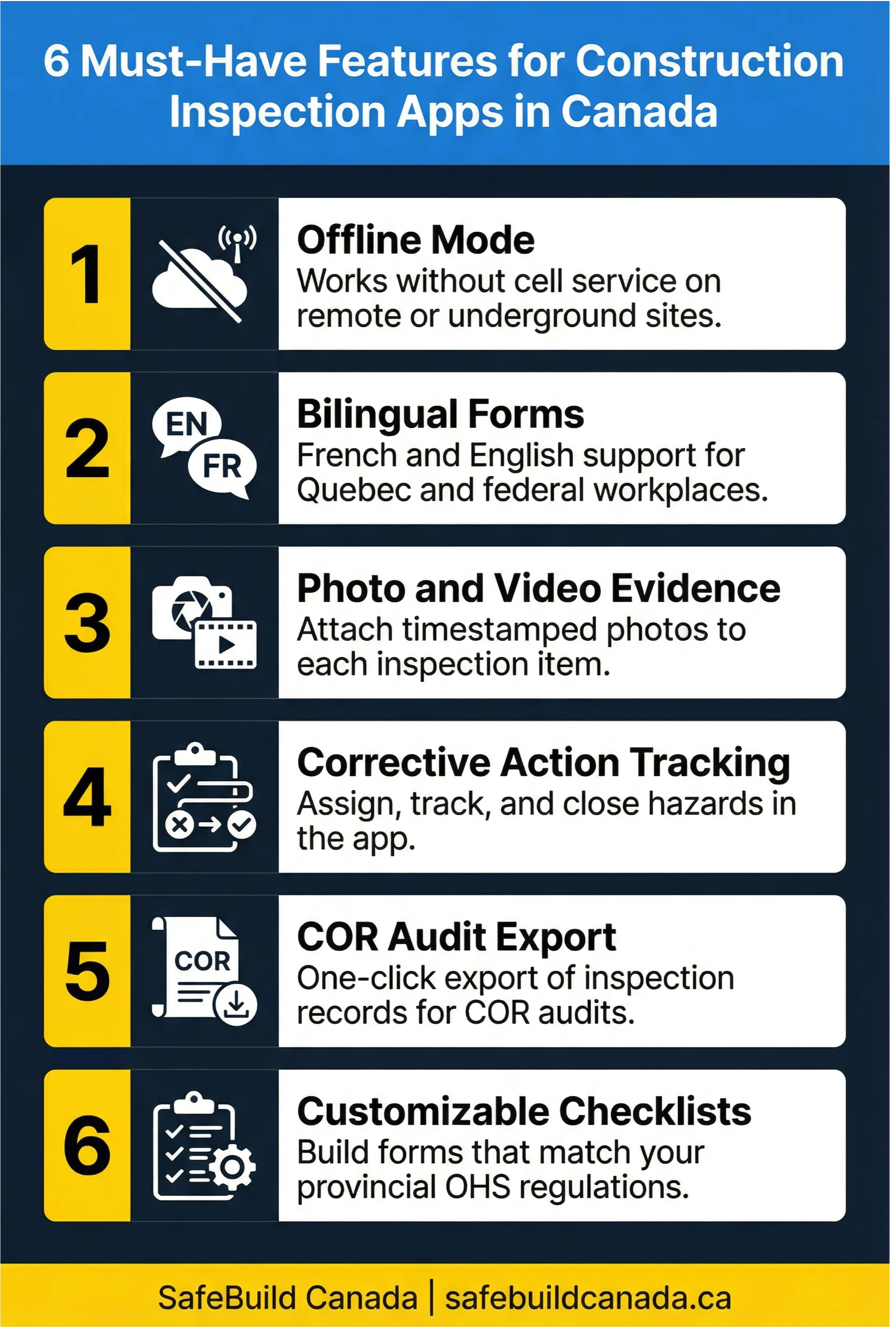
Offline mode is the first requirement that separates Canadian-ready apps from the rest. A significant portion of Canadian construction happens in areas with poor or no cellular coverage: remote resource projects in northern Ontario and BC, underground work, rural infrastructure projects, and sites in areas with weak signal. An app that requires a live internet connection to function is not a field tool, it is a liability. The app must be able to capture full inspection data offline and sync automatically when connectivity is restored.
Bilingual form support is legally and practically necessary for any company working in Quebec or under federal jurisdiction. Under Quebec's Act Respecting Occupational Health and Safety, workplace safety documentation must be available in French. Federal workplaces under the Canada Labour Code have similar obligations. An app that only supports English forms creates compliance exposure the moment you move a crew to a Quebec project or take on federal work.
Photo and video evidence capture is what transforms a digital checklist into a defensible record. When an inspector flags a guardrail gap or an unsecured load, a timestamped photo attached to that inspection item is evidence that the hazard was identified, when it was identified, and what it looked like at that moment. This matters enormously in the event of an incident investigation or a regulatory inspection. It also matters for corrective action close-out: a photo showing the fixed guardrail is far more convincing than a checkbox marked "completed."
Corrective action tracking with assignment and due dates is the feature that closes the loop paper forms cannot close. Every hazard identified in an inspection should generate a corrective action that is assigned to a specific person, given a deadline, and tracked to completion. The system should send reminders, escalate overdue actions, and log every status change. Without this, digital inspections are just digital paper.
COR audit export is specific to Canadian construction and is often overlooked when evaluating platforms built for other markets. The Certificate of Recognition program, administered through provincial certifying partners like the Infrastructure Health and Safety Association (IHSA) in Ontario, WorkSafeBC in British Columbia, and the Alberta Construction Safety Association (ACSA), requires documented evidence of a functioning inspection program as part of the audit. That evidence needs to show inspection frequency, hazard identification, and corrective action close-out. A platform that can export a clean, audit-ready report covering all three of those elements saves hours of preparation and reduces the risk of audit findings.
Customizable checklists matter because OHS regulations vary by province, and inspection requirements vary by project type. A scaffold inspection checklist for a project in Alberta needs to reference the Occupational Health and Safety Code (Alberta). A confined space inspection in Ontario needs to align with O. Reg. 632/05. A platform that only offers generic, non-editable checklists forces your safety team to work around the tool rather than with it. The best platforms allow you to build custom forms from scratch, import existing PDF checklists, and assign specific forms to specific work types or project phases.
How digital inspections build your COR audit trail
COR certification is the most widely recognized safety program standard in Canadian construction, and the inspection documentation requirement is one of the areas where companies most commonly receive audit findings. The issue is almost never that inspections are not happening. The issue is that the documentation does not clearly demonstrate that inspections are happening at the required frequency, that hazards are being identified, and that corrective actions are being closed out in a timely way.
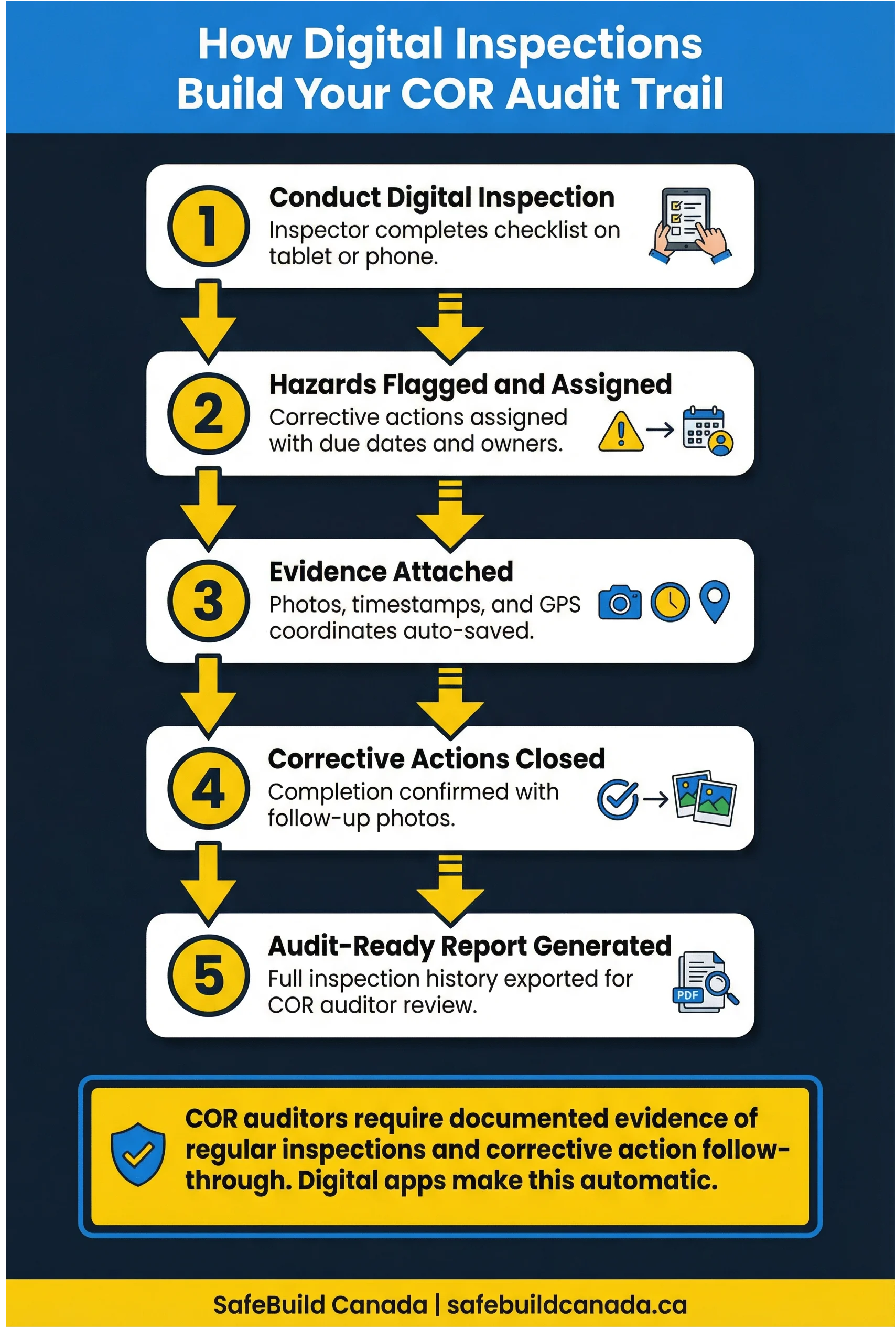
A digital inspection system builds the audit trail automatically because every action in the system is logged with a timestamp and a user ID. When an auditor asks to see evidence of your inspection program, you can pull a report showing every inspection conducted over the audit period, every hazard flagged, every corrective action assigned, and every corrective action closed. The report includes the date, the inspector's name, the work area, the inspection type, and the photo evidence attached to each finding.
The BC Construction Safety Alliance (BCCSA) has been working with EHS Analytics, a Calgary-based data solutions provider, to demonstrate exactly how powerful this kind of data can be when it is structured and analyzed properly. The BCCSA's partnership with EHS Analytics allows the Alliance to use WorkSafeBC's aggregate employer data to identify construction companies that may need additional support, including whether they have achieved COR certification. According to Erin Linde, Director of Health and Safety Services at the BCCSA, the data dashboard has been "a game-changer" for directing targeted assistance to employers. The same principle applies at the company level: structured digital inspection data reveals patterns that paper records simply cannot.
For companies pursuing COR certification for the first time, digital inspection records from the pre-audit period are some of the most valuable evidence you can present. They show that your safety management system is functioning, not just documented. For companies maintaining COR certification through annual audits, a digital system reduces audit preparation from days to hours.
Choosing a platform: what the Canadian market looks like
The Canadian construction safety software market has several strong options, and the right choice depends on your company size, the types of projects you run, and your existing safety management infrastructure.
SiteDocs is a Canadian-built platform that has strong adoption in BC and Alberta. It is designed specifically for construction and trades, with pre-built inspection templates aligned to Canadian OHS requirements. The platform supports offline use, photo evidence, corrective action tracking, and COR-ready reporting. It is a good fit for companies that want a purpose-built Canadian tool without extensive configuration.
SALUS is another Canadian platform with a strong focus on subcontractor management alongside inspection workflows. If your safety program involves managing multiple subcontractors on a single project, SALUS handles the documentation chain across all parties, which is particularly useful for general contractors managing COR compliance across a complex project.
SafetyTek is an Alberta-based platform that covers inspections, orientations, and competency tracking in a single system. For companies that want to consolidate their safety documentation rather than run separate systems for inspections and training records, SafetyTek is worth evaluating.
BIS Safety Software, based in Calgary, offers a broader EHS platform that includes inspection management alongside training records, incident reporting, and document control. The platform's AI-powered form builder can convert existing PDF inspection forms into digital checklists in minutes, which significantly reduces the time needed to migrate from a paper-based system.
None of these platforms is the right choice for every company. The evaluation criteria should be the six features outlined above, plus integration with your existing systems (payroll, project management, HR), pricing structure relative to your company size, and the quality of onboarding and support. Most platforms offer free trials or demos, and it is worth running a pilot on a single project before committing to a full rollout.
Making the transition from paper to digital
The most common reason digital inspection rollouts fail is not the technology. It is the change management. Inspectors who have been doing paper-based walkthroughs for years often resist digital tools not because the tools are worse, but because learning a new system mid-project feels like extra work on top of an already demanding job.
A successful transition starts with involving field staff in the platform selection process. If the people who will be using the app every day have had input into which platform was chosen, they are more likely to use it consistently. Running a pilot on a single project or work area before a full rollout gives your team time to learn the system without the pressure of a live project depending on it.
Training matters more than most companies expect. A 15-minute walkthrough of the app is not enough. Inspectors need to understand not just how to use the app, but why the digital record is more valuable than the paper form, and how their inspection data feeds the company's COR program. When people understand the purpose of the tool, they use it more carefully.
It is also worth acknowledging that the transition period will produce some friction. There will be inspections that get missed because someone forgot to sync their device, or photos that do not attach properly because of a connectivity issue. These are solvable problems, but they require a safety coordinator who is actively monitoring the system and following up quickly when gaps appear. The CCOHS guidance on workplace inspection programs emphasizes that the value of an inspection program depends entirely on the follow-through, and that principle applies equally to digital and paper systems.
The bottom line on digital inspections for Canadian construction
Paper inspection forms are not inherently bad. The problem is that they are passive. A paper form documents what happened during an inspection, but it does nothing to ensure that corrective actions get closed, that inspection frequency stays consistent, or that the data from hundreds of inspections gets analyzed for patterns. Digital inspection apps make all of those things automatic.
For Canadian construction companies working toward COR certification or maintaining it, the documentation requirements alone make a strong case for digital tools. For companies managing multiple active sites, subcontractors, or remote locations, the operational case is just as strong. The technology is mature, the Canadian-specific options are solid, and the transition, while not effortless, is manageable with the right approach.
The question is not really whether to go digital. It is how quickly you can get there before the next audit, the next incident investigation, or the next project where your paper binder is not enough.